
02
SystemArc system
Repair Workflow & Customer Communication Platform
Build the system around the repair.
RepairForge is a platform designed around repair-business workflow and customer communication.
A repair moves through multiple stages. Intake, diagnosis, estimate, approval, parts, repair, testing, completion, and pickup are stages a job may pass through. Not every repair follows that full list, and not every shop names the stages the same way.
Customers want visibility. Employees need operational clarity. RepairForge is designed around that shared workflow.
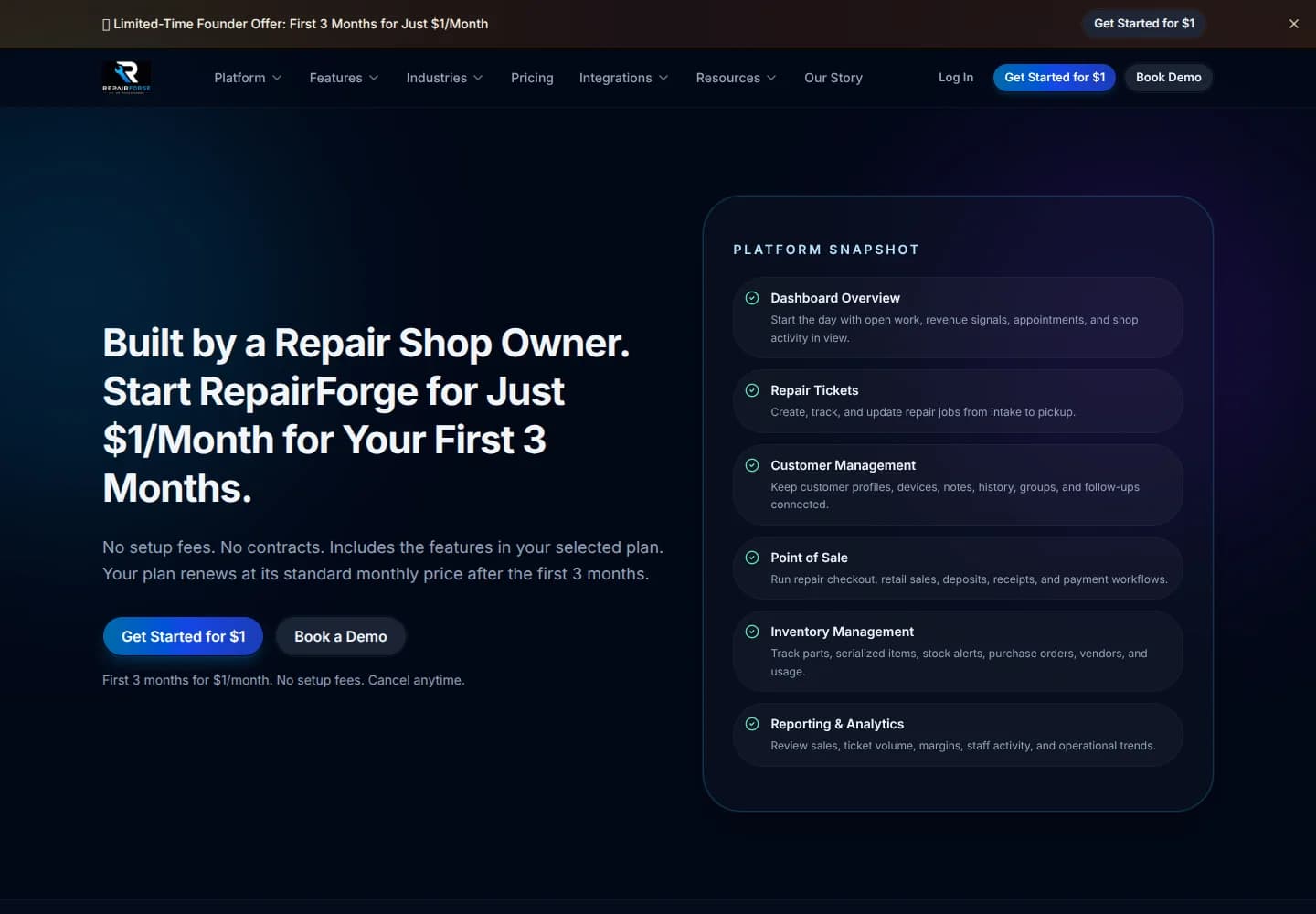
What is RepairForge?
RepairForge is a repair workflow and customer communication platform built by SystemArc. It is designed around customer status visibility, service communication, and the operation of a repair business.
The context
One job, seen from more than one role.
SystemArc built RepairForge. It is a repair workflow and customer communication platform, and it is SystemArc work rather than an engagement for an outside client.
The repair is the object the software understands. Everyone involved is looking at that job from the role they actually have.
The problem
The repair is one job. The information around it is often fragmented.
Customer intake, repair status, technician notes, approvals, parts status, customer communication, service history, and notifications are all part of the same job. They often live in different places.
When they do, employees become responsible for manually keeping everything synchronized. A customer asks where the repair stands. Someone has to reconstruct the answer from notes, messages, and memory.
The system
The workflow is shared. The views are not identical.
RepairForge is organized around customer status visibility, the repair workflow, service communication, operational tools, and automation.
The customer needs to know where the repair stands. The shop needs the notes, the approval, the parts, and the next action. Those are different views of one process, not two processes that someone has to reconcile at the counter.
How the pieces connect
Two views of the same repair.
Customer visibility and shop operations run alongside the workflow. They are not separate jobs.
Same repair
- 01Intake
- 02Diagnosis
- 03Approval
- 04Service
- 05Testing
- 06Completion
Conceptual workflow. A repair may skip or rename a stage. This is not a diagram of shop equipment or of specific integrations.
The operation
Software works better when the workflow is understood.
RepairForge reflects a broader SystemArc approach: understand the real operation before designing the software.
Repair businesses coordinate customers, devices or equipment, technicians, approvals, parts, communication, and status changes around one ongoing service job. The software should understand that relationship.
What we built
What the platform is designed to hold.
These are the capabilities RepairForge is designed around.
01
Customer status visibility
The customer can see where the repair stands, from the same job the shop is working.
02
Repair workflow
The job moves through the stages the shop actually uses, with the record staying attached to the repair.
03
Service communication
Updates belong to the repair, so the message and the job stay together.
04
Operational tools
The shop has a working view of the same job: the status, the communication, and the work still open.
05
Automation
Status and the next communication can follow the workflow, instead of depending on someone remembering to send an update.
The product
Product views
Screenshots of the working product belong in these frames. A frame stays empty until a real view is available.
Product view
Screenshot coming soon
Product view
Screenshot coming soon
Product view
Screenshot coming soon
Industry
Built around the repair business.
RepairForge is the working system behind SystemArc's view of repair and service businesses: one service job, shared information, and a workflow the customer and the shop can both follow.
Services
Related SystemArc services
The services that sit behind this kind of system.
Custom Software Development
The repair needed a system shaped around the job. That is custom software, built from the workflow rather than from a generic ticket list.
Customer Portal Development
Customer status visibility is the customer's door into the same repair the shop is already running.
Business Process Automation
Once the stages are defined, status and communication can move with the job instead of being copied between people.
Internal Tools Development
Shop operations are the internal view: notes, approvals, parts, and the next action on the repair.
Software Integrations
A shop may already have software that should stay. Connecting that software is a separate decision from the workflow itself.
Solutions
Related solutions
The business problems this system is built around.
Repair & Service Management
The solution page describes the operational problem. RepairForge is a platform designed around it.
Customer Portals
The customer view is a portal onto the repair, not a second record of it.
Workflow Automation
Intake through completion is one workflow, with communication attached to the stage the job is in.
Business Dashboards
The shop's operational view is how the open work stays visible: status, communication, and what is still unfinished.
What this demonstrates
One workflow. Different views. Shared information.
A well-designed operational system can give customers, technicians, front-counter staff, and management the information appropriate to their role, while the underlying workflow stays connected.
RepairForge is built on that idea. The customer and the shop are looking at different views of the same repair.
Start a project
What could your operation do with the right system?
You do not need to know what the software should look like. Start with the workflow, the bottleneck, or the capability your current systems are missing.